



Building Classrooms Around Participation, Not Just Presentation
Modern classroom learning increasingly involves students doing more than listening and taking notes. Lessons may include visual explanations, multimedia resources, collaborative exercises, classroom discussions, quizzes, digital applications, and student presentations.
A Smart Board for modern classroom learning can bring these activities onto a shared interactive space where teachers and students can work with content together.
Teachmint X – Smart Board for Teaching in Modern Classrooms
Teachmint X Smart Board for Teaching brings education-focused capabilities together to support interactive and connected learning.
It includes EduAI Assistant, Google EDLA Certified with Android 16, Connected Classroom Tools, Interactive Multi-Touch Experience, Cloud Whiteboard Sync, and a Built-in Camera and Microphone.
Helping Teachers Prepare with EduAI Assistant
The EduAI Assistant can help educators prepare lesson plans, questions, quizzes, explanations, exercises, classroom activities, and revision material.
Teachers remain in control and can modify the generated resources according to the subject, curriculum, and needs of their students.
Accessing Classroom Applications with Android 16
Teachmint X is Google EDLA Certified with Android 16.
It provides secure access to compatible educational applications and Google services while offering enhanced performance, enterprise-grade security, and reliable long-term software updates.
Making Lessons Interactive
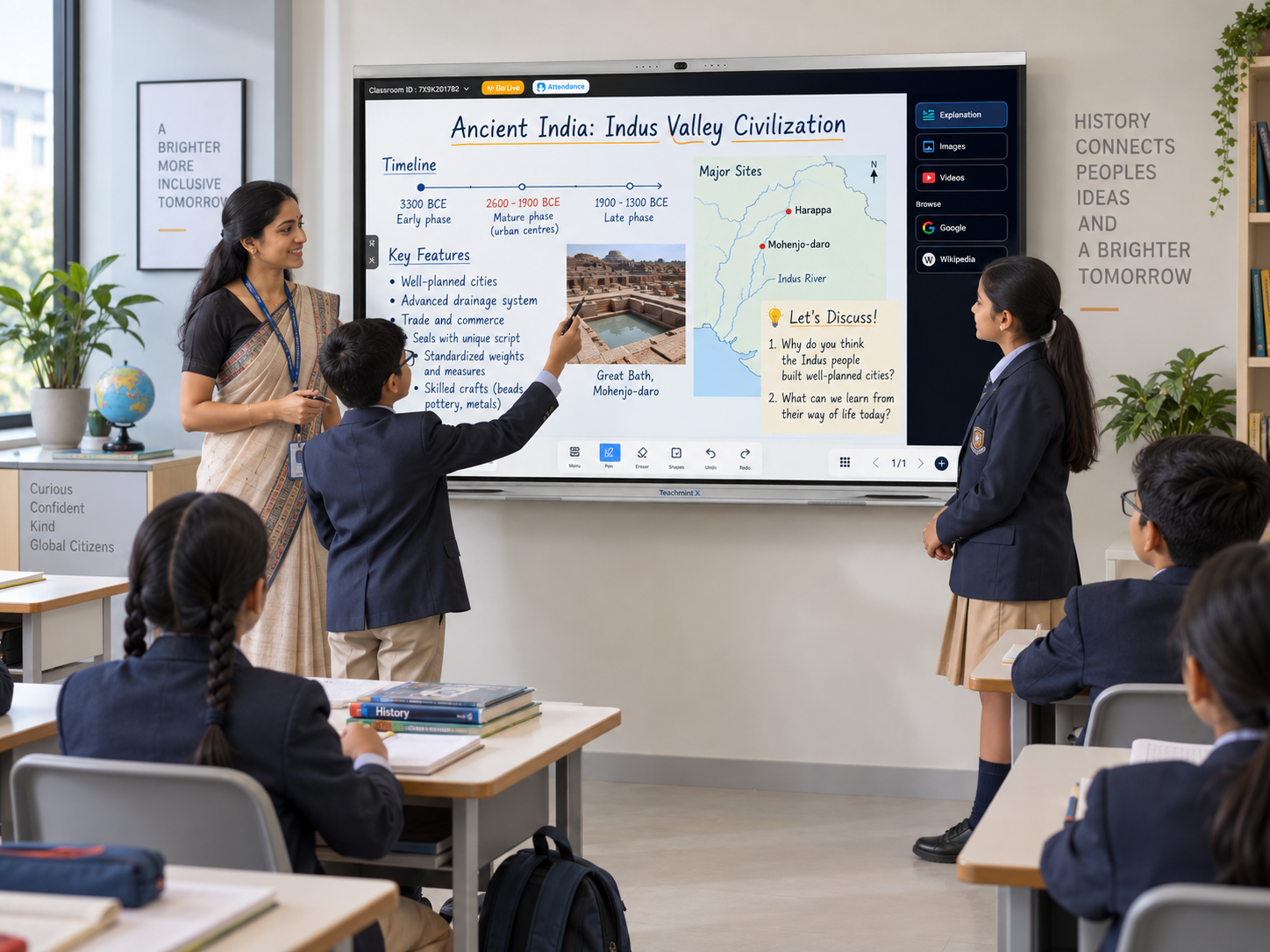
With the Interactive Multi-Touch Experience, the classroom screen becomes a shared learning surface.
Teachers can annotate material, work through questions, highlight information, and draw diagrams. Students can participate directly during exercises, presentations, and collaborative activities.
Maintaining Continuity Between Lessons
With Cloud Whiteboard Sync, teachers can preserve the content created during classroom discussions.
Instead of losing an equation, diagram, mind map, or annotated resource after class, educators can revisit their whiteboard work when continuing the topic.
Connecting Classroom Activities
Connected Classroom Tools help educators work with learning resources, assignments, assessments, and related academic activities.
The Built-in Camera and Microphone can additionally support virtual guest sessions, hybrid teaching, teacher development, and remote collaboration.
How Smart Boards Change the Classroom Experience
A Smart Board can support a lesson from beginning to end.
A teacher might introduce a concept using an image, explain it through digital writing, play a relevant video, ask students to annotate an example, conduct a quick activity, and save the final classroom work.
This ability to move between teaching formats can make lessons more flexible without fragmenting the classroom experience.
Smart Boards Across Subjects
Mathematics teachers can solve equations interactively, while science educators can annotate diagrams and incorporate multimedia demonstrations. Language teachers can work directly with texts, and social science educators can explore maps, timelines, and visual resources.
Smart Boards can also support student presentations, interdisciplinary projects, workshops, and collaborative learning.
What Modern Schools Should Consider
Schools evaluating Smart Boards should look at the overall teaching experience, including AI capabilities, interactive touch performance, operating system, Google EDLA certification, educational application access, cloud whiteboarding, classroom connectivity, built-in camera and microphone, teacher training, and after-sales support.
Why Teachmint X?
Teachmint X is designed to help teachers move easily between preparation, explanation, participation, and classroom follow-up.
Its combination of EduAI Assistant, Android 16, Connected Classroom Tools, Interactive Multi-Touch Experience, Cloud Whiteboard Sync, and Built-in Camera and Microphone supports different teaching styles and classroom activities.
Conclusion
Modern classroom learning requires flexibility, participation, and easy access to digital resources.
Teachmint X Smart Board for Teaching helps bring these elements together, giving educators an interactive space for explaining concepts, involving students, using digital content, and maintaining continuity across lessons.