


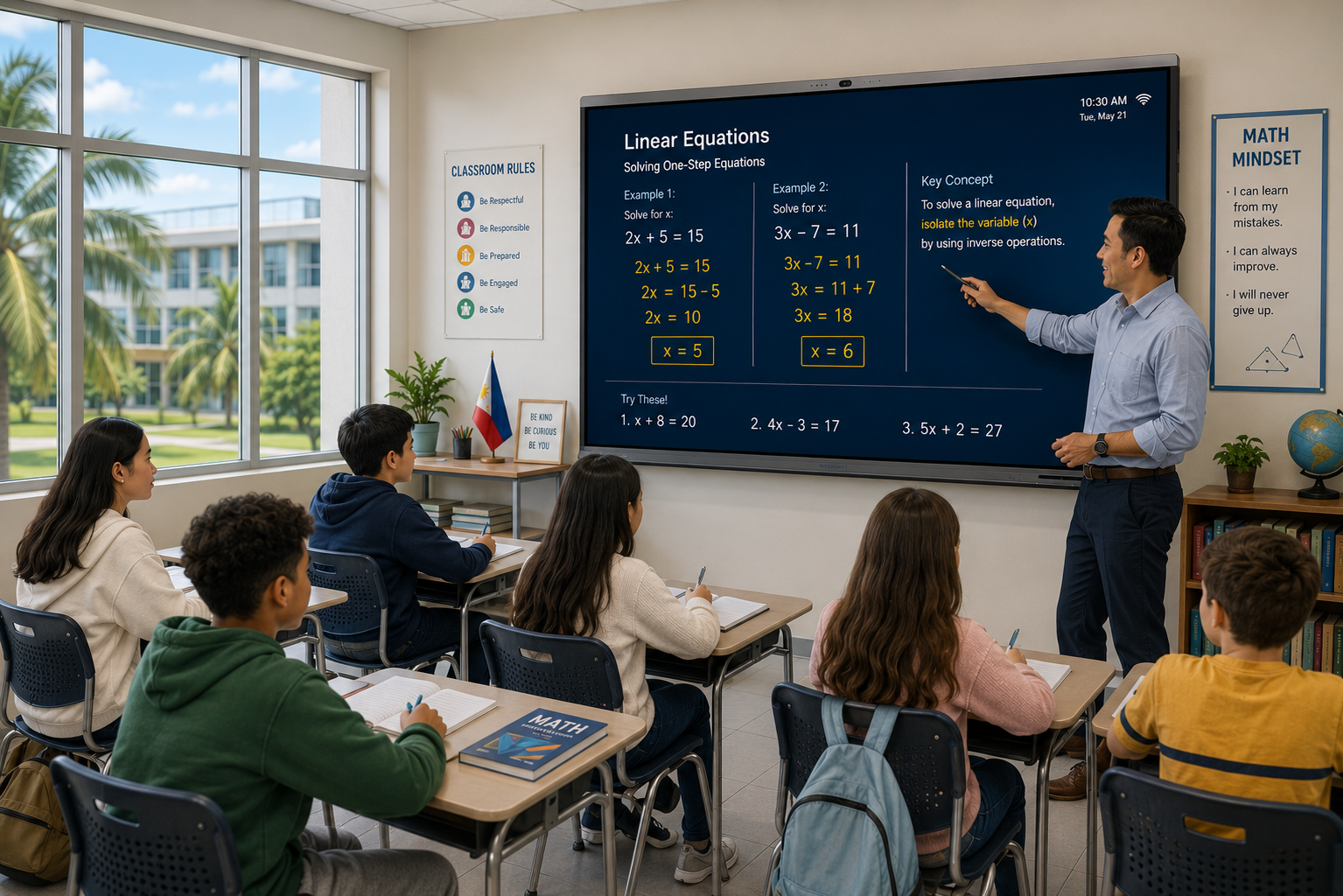
Smart boards are becoming an important part of digital classrooms across the Philippines. Schools are looking for classroom technology that can make lessons more visual, interactive, and easier for teachers to manage.
A smart board for classrooms in the Philippines can help teachers move beyond traditional whiteboards and projectors by combining touchscreen interaction, digital whiteboarding, multimedia, screen sharing, and teaching tools in one solution.
For schools planning classroom modernization, the right smart board should do more than display content. It should help teachers explain concepts, interact with students, access digital resources, and manage everyday teaching more efficiently.
What Is a Smart Board for Classrooms?
A smart board is an interactive touchscreen display designed for teaching, collaboration, presentations, and digital learning.
Teachers can use a smart board to:
- Write and draw directly on the screen
- Annotate presentations, PDFs, images, and videos
- Display multimedia content
- Conduct interactive classroom activities
- Share screens wirelessly
- Use digital whiteboarding tools
- Save and share lesson notes
- Access online learning resources
- Conduct hybrid and online classes
Unlike a traditional whiteboard, a smart board allows teachers to combine handwritten explanations with digital content during the same lesson.
Why Are Schools in the Philippines Using Smart Boards?
Classrooms are increasingly becoming technology-enabled learning spaces.
Schools need tools that can support traditional teaching methods while also giving teachers access to digital content, interactive activities, videos, presentations, and online resources.
Smart boards can help bring these different teaching methods together.
More Interactive Teaching
Teachers can write, draw, annotate, move objects, display videos, and interact directly with lesson content.
Instead of students only watching a presentation, teachers can involve them in activities on the board.
Better Visual Learning
Many subjects become easier to explain when teachers can use visual content.
A smart board can help teachers work with:
- Diagrams
- Maps
- Charts
- Images
- Videos
- Equations
- Timelines
- Digital simulations
This can be particularly useful for mathematics, science, geography, languages, and social studies.
Greater Student Participation
Students can come to the board and interact directly with classroom activities.
They can solve problems, label diagrams, move objects, write answers, or participate in group exercises.
This can make lessons more active and collaborative.
Easier Access to Digital Content
Teachers can use presentations, PDFs, websites, videos, learning applications, and cloud-based resources from the smart board.
This reduces the need to constantly switch between a laptop, projector, and separate whiteboard.
Support for Hybrid Learning
Smart boards with cameras, microphones, speakers, and conferencing support can also help schools conduct hybrid classes.
This can be useful for:
- Remote lessons
- Guest lectures
- Teacher training
- Inter-school collaboration
- Online sessions
Smart Board Options for Classrooms in the Philippines
Schools in the Philippines can evaluate several interactive display solutions depending on their teaching requirements, classroom size, software needs, and support expectations.
Teachmint X
Teachmint X is an AI-powered interactive flat panel designed specifically for education.
It combines smart board hardware with digital teaching software, AI-powered classroom tools, digital whiteboarding, connected classroom capabilities, and integrated audio-video hardware.
This makes it suitable for schools looking for more than a basic touchscreen display.
Key Features of Teachmint X
Teachmint X includes capabilities such as:
- 4K interactive display
- Google EDLA-certified environment
- EduAI-powered teaching tools
- AI-powered interactive whiteboard
- Octa-core processor
- NPU for AI-powered tasks
- 48MP 4K AI-powered camera
- 8-array omnidirectional microphone
- Built-in speakers
- NFC card reader
- Digital whiteboarding
- Wireless screen sharing
- Smart writing
- Shape recognition
- AI-assisted search
- Connected classroom capabilities
EduAI for Classroom Teaching
Teachmint X integrates EduAI directly into the teaching environment.
Teachers can use AI-assisted tools to support classroom activities such as:
- Explaining concepts
- Solving questions
- Generating teaching material
- Searching educational content
- Creating lesson resources
- Supporting classroom discussions
This helps make the smart board more than a display or digital writing surface.
Digital Whiteboarding
Teachers can use the interactive whiteboard to:
- Write notes
- Draw diagrams
- Explain equations
- Annotate lesson content
- Highlight important information
- Use shapes and smart writing
- Work with multimedia
- Save classroom content
This allows teachers to retain the flexibility of traditional board-based teaching while gaining access to digital tools.
VisionX Classroom Monitoring
Teachmint X can also work with VisionX Classroom Monitoring System.
Schools can use VisionX for capabilities such as:
- Real-time classroom visibility
- Screen monitoring
- Audio monitoring
- Broadcast messaging
- Alerts
- Classroom-level monitoring
This can be useful for schools managing multiple smart classrooms.
Integrated Camera, Microphones, and Speakers
Teachmint X includes integrated audio-video hardware that can support:
- Hybrid classes
- Online teaching
- Guest lectures
- Teacher training
- Video conferencing
Having these capabilities built into the classroom setup can reduce dependence on additional external devices.
Teachmint X for Schools in the Philippines
Teachmint has a dedicated presence in the Philippines and can be considered by:
- K–12 schools
- Private schools
- International schools
- Colleges
- School groups
- Institutions planning smart classroom transformation
For schools looking for an integrated digital classroom ecosystem, Teachmint X can provide a combination of interactive hardware, AI-powered teaching, classroom monitoring, and connected classroom functionality.
ViewSonic ViewBoard
ViewSonic ViewBoard is an interactive display solution available in the Philippines.
It supports digital whiteboarding, annotation, wireless screen sharing, and classroom collaboration through ViewSonic's education software ecosystem.
It can be suitable for schools looking for an established interactive display platform.
LG CreateBoard
LG CreateBoard is designed for interactive teaching, collaboration, and digital whiteboarding.
Teachers can use it to write, annotate, share content, and interact with classroom learning materials.
It can be considered by schools looking for an interactive display from an established display manufacturers.
Horion Interactive Display
Horion offers interactive display solutions for education and collaborative environments in the Philippines.
Its smart board solutions can include digital whiteboarding, interactive writing, screen mirroring, and Android-based functionality on supported models.
Qeoyo Smart Board
Qeoyo provides interactive smart boards in the Philippine market.
Its solutions include 4K displays, digital whiteboarding, wireless sharing, and multiple screen-size options for different classroom environments.
Hikvision Interactive Flat Panel
Hikvision offers interactive display solutions for classrooms and connected learning spaces in the Philippines.
Its products support digital whiteboarding, wireless projection, multimedia teaching, and classroom AV integration.
What Should Schools Look for in a Smart Board?
Choosing a smart board is a long-term classroom technology decision.
Schools should evaluate how well the system supports everyday teaching rather than selecting a product only based on screen size or specifications.
Display Size
The correct screen size depends on classroom dimensions and student viewing distance.
Common options include:
- 65-inch for smaller classrooms
- 75-inch for standard classrooms
- 86-inch for larger classrooms
Schools should ensure that students sitting at the back of the room can comfortably read text and view lesson content.
Display Quality
A high-resolution display helps make text, diagrams, videos, images, and presentations clearer.
4K resolution can be particularly useful when teachers are displaying detailed educational content.
Touch and Writing Experience
Writing should feel natural and responsive.
Schools should evaluate:
- Touch accuracy
- Writing latency
- Stylus response
- Multi-touch capability
- Palm rejection
- Annotation
- Erasing
- Shape recognition
Teachers should be able to use the board comfortably without interrupting the flow of the lesson.
Teaching Software
Teaching software is one of the most important differences between smart boards.
Schools should check whether teachers can:
- Create lessons
- Annotate content
- Access educational resources
- Save lesson notes
- Use multimedia
- Conduct classroom activities
- Use AI-powered teaching tools
The software ecosystem can have a major impact on how frequently teachers use the smart board.
AI-Powered Teaching
AI is becoming an important part of modern classroom technology.
Schools should look at what AI actually helps teachers do.
Useful capabilities may include:
- Question solving
- Educational search
- Smart writing
- Content explanation
- Teaching assistance
- Lesson preparation
- Classroom support
Teachmint X, for example, integrates EduAI into the teaching environment.
Connectivity
Teachers should be able to connect the devices they already use.
Schools should check support for:
- HDMI
- USB
- USB-C
- Wi-Fi
- Bluetooth
- Wireless screen sharing
- Laptop connectivity
- Tablet connectivity
- Smartphone casting
Camera and Microphone
Built-in cameras and microphones can support hybrid learning, online classes, guest lectures, teacher training, and video conferencing.
Integrated hardware can also reduce the number of separate devices required in the classroom.
Classroom Management
Schools deploying smart boards across multiple classrooms should also consider centralized management.
Useful capabilities can include:
- Classroom monitoring
- Broadcast messaging
- Device management
- Software updates
- User access
- Classroom visibility
These capabilities become increasingly valuable as smart classroom deployments grow.
Ease of Use for Teachers
A smart board should simplify teaching rather than add unnecessary complexity.
Teachers should be able to:
- Start lessons quickly
- Open presentations
- Write on the board
- Play videos
- Share screens
- Save notes
- Switch between applications
Schools should allow teachers to test the technology during a live demonstration before making a purchasing decision.
Teacher Training and Support
Successful adoption depends on teachers feeling confident using the technology.
Schools should look for providers that offer:
- Product onboarding
- Teacher training
- Classroom demonstrations
- Software training
- Technical support
- Ongoing assistance
Training should focus on practical classroom use rather than only explaining device features.
Warranty and Local Support in the Philippines
Local support is important when smart boards become part of everyday classroom infrastructure.
Schools should evaluate:
- Installation support
- Warranty
- Hardware servicing
- Software support
- Replacement process
- Technical assistance
- After-sales support in the Philippines
Smart Board vs Traditional Whiteboard
Traditional whiteboards are simple and familiar, but smart boards add digital capabilities to the same teaching environment.
With a smart board, teachers can combine handwriting with presentations, videos, images, websites, diagrams, and interactive classroom activities.
Lesson notes can also be saved and reused instead of being erased at the end of class.
The goal is not necessarily to remove traditional teaching methods but to give teachers more options for explaining and presenting concepts.
Smart Board vs Projector for Classrooms
Projectors are useful for displaying presentations and videos, but they are primarily designed for projection.
A smart board provides direct touchscreen interaction.
Teachers can write on the display, annotate content, interact with applications, access digital resources, and save classroom notes directly from the board.
For regular classrooms, this can create a more integrated teaching setup than using a projector, laptop, and separate whiteboard.
Smart Boards for Different School Subjects
Smart boards can support a wide variety of subjects.
Mathematics
Teachers can write equations, demonstrate calculations, display graphs, and explain solutions step by step.
Science
Teachers can combine diagrams, videos, images, simulations, and handwritten explanations.
Languages
Smart boards can support reading activities, text annotation, multimedia, vocabulary exercises, and interactive language lessons.
Social Studies
Teachers can use maps, timelines, images, historical documents, and videos during classroom discussions.
Primary Education
Younger learners can participate in touch-based activities, drawing exercises, matching activities, and visual lessons.
Benefits of Smart Boards for Schools in the Philippines
Smart boards can help schools create more flexible learning environments.
Key benefits include:
- More visual lessons
- Greater classroom interaction
- Easier access to digital resources
- Better multimedia teaching
- Digital whiteboarding
- Support for hybrid learning
- Improved classroom collaboration
- Reduced dependence on multiple classroom devices
- AI-assisted teaching on supported platforms
The actual value depends on how well the technology fits the school's teaching practices and how effectively teachers are trained to use it.
Why Consider Teachmint X for Smart Classrooms in the Philippines?
A smart classroom requires more than a large touchscreen display.
Schools need technology that can support teaching, classroom management, digital content, and connected learning.
Teachmint X combines:
- Interactive smart board hardware
- EduAI-powered teaching
- Digital whiteboarding
- VisionX classroom monitoring
- Integrated camera and microphones
- Wireless collaboration
- Connected classroom capabilities
- Education-focused software
This integrated approach can be useful for schools planning digital transformation across multiple classrooms.
Rather than evaluating only the display, schools can consider how the system supports the complete classroom experience — from teacher instruction and AI assistance to classroom monitoring and hybrid learning.
Choosing the Right Smart Board for Your Classroom
Before selecting a smart board, schools should define their classroom requirements.
Important factors include:
- Classroom size
- Number of students
- Screen size
- Existing devices
- Internet infrastructure
- Teaching applications
- AI requirements
- Hybrid learning needs
- Classroom management needs
- Teacher training
- Warranty
- Local support
- Budget
Schools should also conduct live demonstrations and let teachers test shortlisted solutions with actual classroom activities.
This can provide more useful insights than comparing specifications alone.
Conclusion
A smart board for classrooms in Philippines can help schools create more interactive, visual, and technology-enabled learning environments.
However, choosing the right solution requires more than comparing display size and resolution.
Schools should evaluate teaching software, AI capabilities, writing experience, connectivity, classroom management, teacher training, warranty, and local support.
ViewSonic ViewBoard, LG CreateBoard, Horion, Qeoyo, and Hikvision provide smart board and interactive display options relevant to the Philippine market.
For schools looking for an education-focused solution that combines interactive hardware, EduAI-powered teaching, classroom monitoring, and connected classroom capabilities, Teachmint X provides a comprehensive option to consider for smart classroom transformation in the Philippines.