



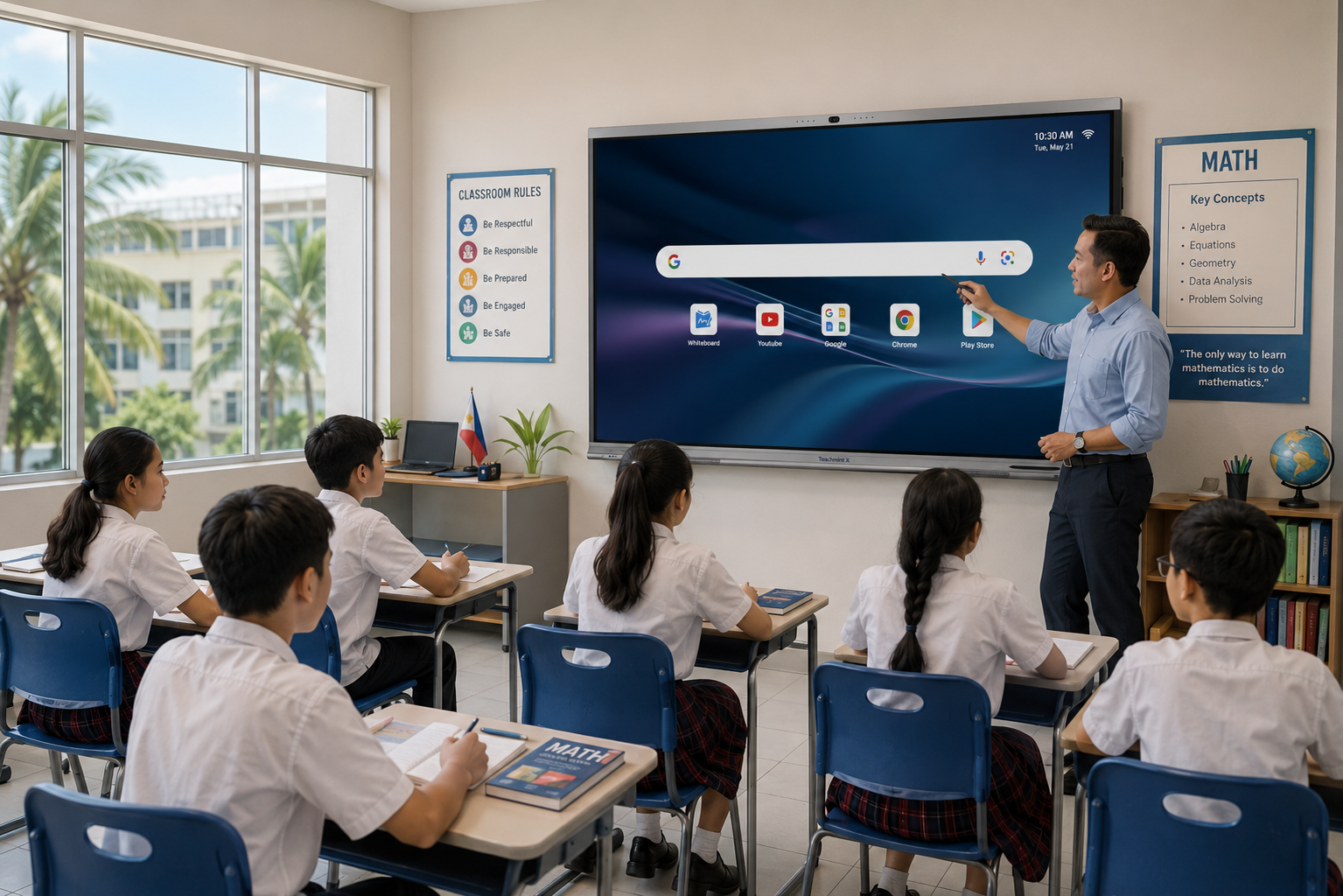
Digital learning is becoming increasingly important for schools in the Philippines. As classrooms become more technology-enabled, schools are looking for solutions that help teachers deliver engaging lessons, simplify classroom activities, and encourage greater student participation.
An interactive flat panel for schools in the Philippines can support this transition by combining a large touchscreen display, digital whiteboard, multimedia tools, classroom collaboration, and teaching applications in one solution.
Unlike traditional projectors or whiteboards, interactive flat panels allow teachers and students to interact directly with digital content. Teachers can write, annotate, present videos, explain concepts visually, share screens, and conduct interactive classroom activities from a single display.
For Philippine schools planning to modernize their classrooms, choosing the right interactive flat panel requires looking beyond screen size and hardware specifications. Teaching software, AI capabilities, classroom management, teacher training, reliability, and local support are equally important.
What Is an Interactive Flat Panel for Schools?
An interactive flat panel, or IFP, is a large touchscreen display designed for teaching, collaboration, presentations, and interactive learning.
It combines the functionality of several classroom tools, such as a digital whiteboard, presentation screen, multimedia player, annotation tool, screen-sharing solution, and teaching platform.
Teachers can interact directly with lesson content using touch or a stylus, while students can participate in activities directly on the screen.
This creates a more interactive classroom experience than a traditional display-only setup.
Why Are Schools in the Philippines Using Interactive Flat Panels?
Schools today need classroom technology that can support both traditional teaching and digital learning.
Interactive flat panels can help teachers make lessons more visual, collaborative, and engaging while reducing dependence on multiple classroom devices.
Teachers can use an interactive display to explain concepts, display multimedia, annotate content, conduct activities, and involve students directly in lessons.
For schools that are upgrading from projectors or conventional whiteboards, interactive flat panels can also simplify the classroom setup by bringing multiple functions together in one system.
Benefits of Interactive Flat Panels for Schools
More Interactive Lessons
Teachers can write, draw, annotate, move objects, display multimedia, and allow students to interact directly with lesson content.
This can make classroom sessions more engaging than simply presenting slides or writing on a traditional board.
Better Visualization of Concepts
Subjects such as mathematics, science, geography, and languages often benefit from visual explanations.
Teachers can use diagrams, maps, images, videos, equations, charts, and digital learning resources on the same screen.
Greater Student Participation
Interactive flat panels allow students to participate directly in classroom activities.
Students can solve problems, answer questions, interact with diagrams, and collaborate with classmates on the board.
Easy Access to Digital Content
Teachers can access presentations, PDFs, videos, websites, applications, and cloud-based resources directly from compatible interactive displays.
This can make lesson delivery more flexible and reduce the need to switch between multiple devices.
Support for Hybrid Learning
Interactive flat panels with suitable cameras, microphones, speakers, and conferencing software can also support hybrid and online learning.
This can be useful for guest lectures, teacher training, remote sessions, and inter-campus collaboration.
Interactive Flat Panel Options for Schools in the Philippines
Schools in the Philippines can explore several interactive display solutions depending on their teaching requirements, classroom size, software needs, and support expectations.
Teachmint X
Teachmint X is an AI-powered interactive flat panel designed specifically for education.
Unlike a standard touchscreen display, Teachmint X combines interactive hardware with teaching software, AI-powered classroom tools, student engagement capabilities, and connected classroom functionality.
It includes features such as a 4K interactive display, Google EDLA-certified environment, EduAI-powered teaching tools, digital whiteboarding, wireless screen sharing, smart writing, shape recognition, built-in camera and microphones, and connected classroom capabilities.
Teachmint X also works with VisionX Classroom Monitoring System and Click X Student Response System, helping schools extend interactive learning beyond the display itself.
For Philippine schools looking for a complete digital classroom ecosystem rather than only a touchscreen board, Teachmint X can be a strong option to evaluate.
ViewSonic ViewBoard
ViewSonic ViewBoard is an interactive display solution available in the Philippines.
It supports digital whiteboarding, annotation, wireless sharing, and classroom collaboration through ViewSonic's education software ecosystem.
It can be suitable for schools and universities looking for an established interactive display platform.
LG CreateBoard
LG CreateBoard is designed for interactive teaching, digital whiteboarding, and collaboration.
Teachers can use it to write, annotate, share content, and work with digital learning materials.
It can be considered by schools and higher education institutions looking for an interactive display from an established display manufacturer.
Horion Interactive Flat Panel
Horion offers interactive display solutions in the Philippines for education and collaborative environments.
Its products support interactive writing, digital whiteboarding, screen mirroring, and Android-based functionality on supported models.
Qeoyo Interactive Flat Panel
Qeoyo provides interactive smart boards for education in the Philippine market.
Its solutions include 4K interactive displays, digital whiteboarding, wireless screen sharing, and multiple display-size options.
Hikvision Interactive Flat Panel
Hikvision offers interactive display solutions for classrooms and connected learning environments in the Philippines.
Its education solutions support digital whiteboarding, wireless projection, multimedia teaching, and classroom AV integration.
What Should Schools Look for in an Interactive Flat Panel?
Choosing an interactive flat panel is a long-term technology decision.
Schools should evaluate how the system performs in everyday teaching rather than selecting a product only because it has strong hardware specifications.
Display Size
Interactive flat panels are available in different sizes.
A 65-inch panel may suit smaller classrooms, while 75-inch and 86-inch displays can work better in standard or larger classrooms.
Schools should consider classroom dimensions and the viewing distance of students sitting at the back.
Display Quality
A high-resolution display helps ensure that text, diagrams, videos, presentations, and images remain clear on a large screen.
This is especially important for subjects such as mathematics, science, geography, and multimedia-based learning.
Touch and Writing Experience
Writing should feel responsive and natural.
Schools should evaluate touch accuracy, writing latency, stylus response, multi-touch capability, palm rejection, erasing, annotation, and shape recognition.
Teachers should be able to use the board comfortably without interrupting the flow of the lesson
Teaching Software
Teaching software is one of the most important factors when comparing interactive flat panels.
Schools should check whether teachers can create lessons, annotate content, access educational resources, save classroom notes, share learning material, conduct activities, and use AI-powered teaching tools.
The software ecosystem can have a major impact on how frequently teachers use the technology.
AI-Powered Teaching
AI is becoming an important part of modern classroom technology.
Schools should look beyond the phrase "AI-powered" and evaluate what the technology can actually help teachers do.
Useful AI capabilities may include content search, smart writing, question solving, educational support, handwriting recognition, and classroom assistance.
Teachmint X, for example, integrates EduAI directly into the teaching experience.
Connectivity
Teachers should be able to connect the devices they already use.
Schools should check support for HDMI, USB, USB-C, Wi-Fi, Bluetooth, wireless screen sharing, laptop connectivity, and mobile-device casting.
Built-In Camera and Microphone
Integrated cameras and microphones can support hybrid learning, online classes, guest lectures, teacher training, and video conferencing.
This can also reduce dependence on additional classroom accessories.
Classroom Management
For schools deploying interactive panels across multiple classrooms, centralized management can become important.
Schools may need capabilities such as classroom monitoring, broadcast communication, device management, software updates, access controls, and classroom visibility.
Ease of Use for Teachers
An interactive flat panel should simplify teaching rather than create additional technical work.
Teachers should be able to open lessons, write on the board, share screens, play multimedia, save notes, and switch between applications easily.
A live classroom demonstration can help schools understand whether the platform is easy for teachers to use.
Teacher Training
Technology adoption depends heavily on teacher confidence.
Schools should look for providers that offer product onboarding, teacher training, classroom demonstrations, software guidance, and ongoing technical support.
Training should focus on how the technology can improve teaching, not only on how to operate the device.
Warranty and Local Support in the Philippines
Local support is important when interactive flat panels become part of everyday classroom infrastructure.
Schools should evaluate installation support, warranty coverage, technical assistance, hardware repair, software updates, replacement processes, and after-sales service in the Philippines.
Interactive Flat Panel vs Traditional Whiteboard
Traditional whiteboards remain useful, but interactive flat panels provide additional capabilities for modern classrooms.
Teachers can combine digital writing with multimedia, save lesson content, access online resources, use interactive applications, and involve students directly in digital activities.
The goal is not necessarily to replace traditional teaching methods, but to give teachers more tools to explain concepts and engage students.
Interactive Flat Panel vs Projector for Schools
Projectors are still useful in many educational settings, especially auditoriums and very large spaces.
However, interactive flat panels can provide a more integrated experience for regular classrooms because they combine the display, touch interface, digital whiteboard, and classroom applications in one system.
They can also reduce dependence on projector lamps, external whiteboards, and additional interaction hardware.
Benefits for K–12 Schools in the Philippines
Interactive flat panels can support different teaching approaches across K–12 education.
In mathematics, teachers can demonstrate calculations and equations directly on the display.
In science, they can combine diagrams, images, videos, and handwritten explanations.
In languages, teachers can annotate text, play multimedia, and conduct interactive exercises.
In social studies, maps, timelines, historical images, and videos can become part of classroom discussions.
For younger learners, touch-based activities can make lessons more visual and participatory.
Interactive Flat Panels for Colleges and Higher Education
Interactive displays are also useful for colleges and universities in the Philippines.
They can support lectures, presentations, hybrid classes, research discussions, collaborative projects, digital annotation, video conferencing, workshops, and remote guest lectures.
For higher education institutions, interactive displays can also improve collaboration in classrooms, laboratories, training rooms, and meeting spaces.
Why Teachmint X for Schools in the Philippines?
Schools do not necessarily need another screen. They need classroom technology that helps teachers teach and students participate.
Teachmint X takes an education-first approach by bringing together:
- Interactive flat panel hardware
- EduAI-powered teaching
- Digital whiteboarding
- VisionX classroom monitoring
- Click X student response system
- Integrated camera and microphones
- Wireless collaboration
- Connected classroom capabilities
- Education-focused software
This combination can be especially useful for Philippine schools planning digital transformation across multiple classrooms.
Instead of evaluating only how content appears on a screen, schools can also consider how teachers interact with lessons, how students participate, and how administrators manage connected classrooms.
Choosing the Right Interactive Flat Panel for Your School
The right interactive flat panel depends on how the school plans to use classroom technology.
Before making a decision, schools should consider:
- Number of classrooms
- Classroom size
- Number of students
- Existing devices
- Internet infrastructure
- Teaching applications
- Hybrid learning requirements
- AI requirements
- Classroom monitoring needs
- Teacher training
- Support expectations
- Budget
Schools should also conduct live demonstrations and allow teachers to test shortlisted solutions using real classroom activities.
This can provide more useful insights than comparing product specifications alone.
Conclusion
An interactive flat panel for schools in Philippines can help create a more visual, collaborative, and technology-enabled classroom experience.
However, the value of an interactive display depends on more than screen resolution and touchscreen specifications.
Philippine schools should evaluate the complete classroom ecosystem, including teaching software, AI capabilities, writing experience, connectivity, classroom management, student engagement, teacher training, warranty, and local support.
For schools looking for an education-focused solution that combines interactive hardware with EduAI, student engagement, and connected classroom capabilities, Teachmint X offers a comprehensive option to evaluate for digital classroom transformation in the Philippines.