



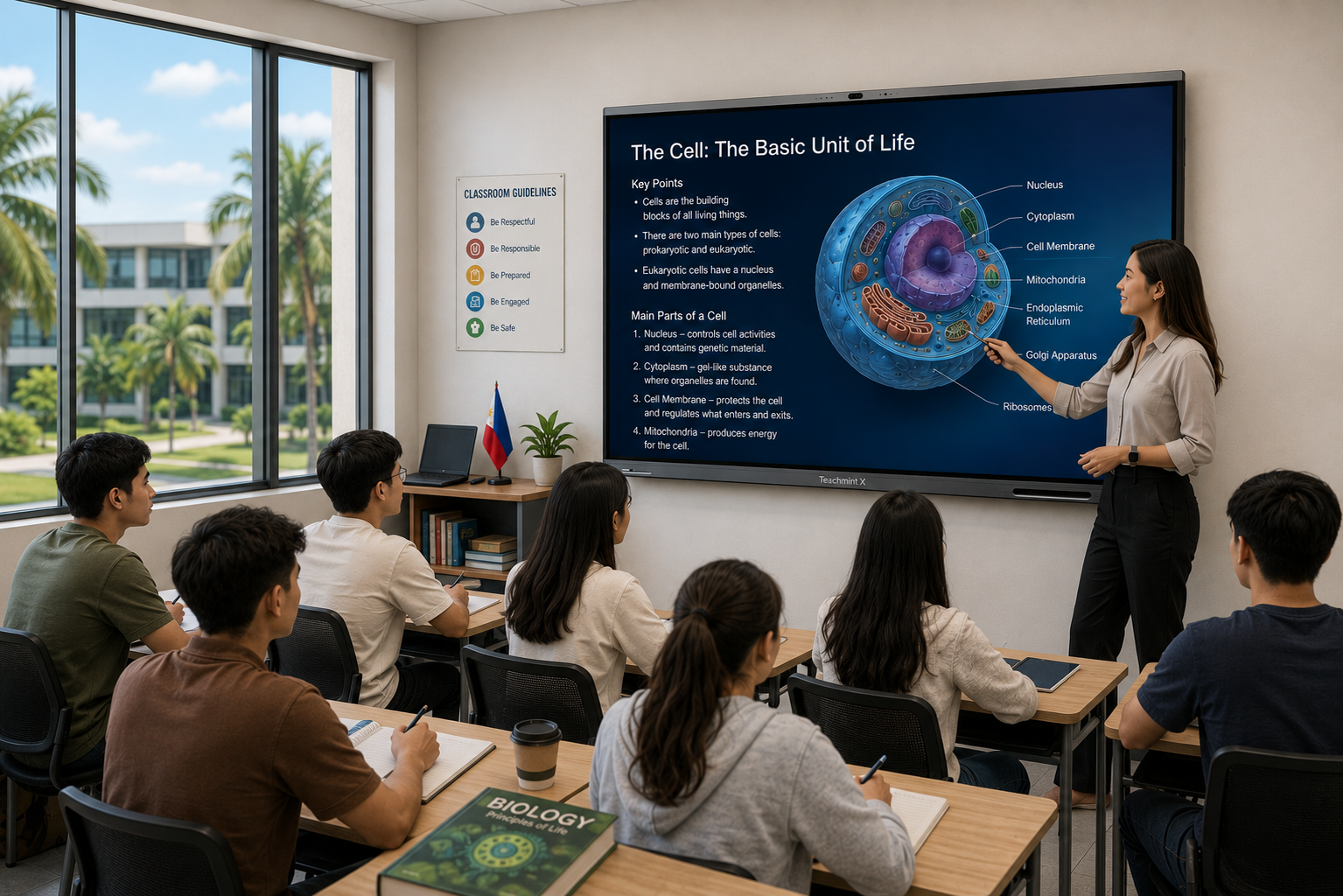
Smart boards are becoming an important part of digital classrooms across the Philippines. Schools, colleges, and universities are increasingly using interactive displays to make lessons more visual, collaborative, and technology-enabled.
A modern smart board can combine touchscreen interaction, digital whiteboarding, multimedia, wireless screen sharing, teaching software, and AI-powered tools in a single classroom solution.
For institutions looking for trusted smart board brands in the Philippines, it is important to evaluate more than the display itself. Schools should also consider teaching software, ease of use, AI capabilities, warranty, teacher training, local support, and the ability to manage multiple classrooms.
Some of the smart board and interactive display brands with a presence in the Philippine market include Teachmint X, ViewSonic ViewBoard, LG CreateBoard, Horion, Qeoyo, and Hikvision.
What Makes a Smart Board Brand Trustworthy?
A trusted smart board provider should offer more than attractive hardware specifications.
Schools should consider whether the brand can support the complete classroom technology lifecycle, from installation and teacher onboarding to everyday use and after-sales support.
Important factors include:
- Education-focused features
- Reliable interactive display hardware
- Digital whiteboarding
- Teaching software
- AI-powered classroom tools
- Wireless screen sharing
- Device connectivity
- Camera and microphone capabilities
- Teacher training
- Warranty
- Technical support
- Local availability in the Philippines
For larger schools and school groups, classroom monitoring and centralized management can also become important.
Trusted Smart Board Brands in the Philippines
1. Teachmint X
Teachmint X is an AI-powered interactive flat panel designed specifically for education.
Teachmint has a dedicated Philippines presence, including a Manila office, Philippines contact support, and references to educational institutions in the country using its classroom technology.
Unlike a conventional touchscreen display, Teachmint X combines smart board hardware with EduAI-powered teaching, digital whiteboarding, connected classroom capabilities, and integrated classroom audio-video hardware.
This makes it particularly relevant for schools that want their smart board to function as part of a broader digital classroom ecosystem.
Key Features of Teachmint X
Teachmint X includes capabilities such as:
- 4K interactive display
- Google EDLA certification
- Android environment
- EduAI teaching tools
- AI-powered interactive whiteboard
- Smart writing and shape recognition
- Math and Physics Solver
- Voice AI
- AI search on images
- Digital whiteboarding
- Wireless collaboration
- Octa-core processor and NPU for AI tasks
- 48MP 4K AI-powered camera
- 8-array omnidirectional microphone
- Built-in speakers
- NFC card reader
- Connected classroom capabilities
Teachmint's Philippines offering also states 365-day customer support, a three-year warranty, and onboarding support.
EduAI for Teaching
One of the key differences between Teachmint X and a standard interactive display is the integration of EduAI into classroom teaching.
Teachers can use AI-assisted capabilities while working directly on the interactive whiteboard.
For example, the platform supports tools such as:
- Math and Physics problem solving
- Voice AI
- AI-powered image search
- Smart writing
- Smart shapes
- Educational tools such as simulations, graphs, calculators, dictionaries, and periodic-table resources
This allows teachers to use AI as part of the teaching workflow rather than relying entirely on separate applications or devices.
Digital Whiteboarding
Digital whiteboarding remains one of the most important functions of a classroom smart board.
Teachers can use Teachmint X to write, draw, annotate learning materials, import PDFs and media, explain concepts, and work with smart teaching tools.
This allows educators to maintain the familiar experience of board-based teaching while adding digital functionality.
VisionX Classroom Monitoring
Teachmint X can also work with VisionX Classroom Monitoring System.
VisionX provides capabilities including:
- Real-time classroom visibility
- Live audio and screen access
- Broadcast messaging
- Alerts and logs
- Centralized classroom monitoring
This can be useful for institutions deploying smart boards across multiple classrooms and looking for greater visibility across their digital learning environment.
Teachmint X in the Philippines
Teachmint's Philippines page references educators and institutions in the country, including Ateneo de Naga University Junior High School, Colegio San Agustin-Bacolod, Kabankalan Catholic College, and the University of Perpetual Help System DALTA – Calamba Campus.
For Philippine schools, this provides local evidence of the technology being used in educational environments.
Teachmint X can therefore be considered by:
- K–12 schools
- Private schools
- International schools
- Colleges
- Universities
- School groups
- Institutions planning AI-enabled classrooms
2. ViewSonic ViewBoard
ViewSonic ViewBoard is another established interactive display platform with a dedicated education presence in the Philippines.
ViewSonic positions ViewBoard as an interactive teaching solution that works together with its education software ecosystem for digital lessons, collaboration, and classroom interaction.
It can be considered by Philippine schools looking for an established display brand with education-focused hardware and software.
3. LG CreateBoard
LG CreateBoard is LG's interactive display solution for teaching and collaboration.
It supports digital whiteboarding, touch interaction, content sharing, and collaborative classroom activities.
Philippine schools familiar with LG's commercial-display ecosystem may consider CreateBoard when evaluating interactive displays for classrooms, seminar rooms, and higher education spaces.
4. Horion Interactive Display
Horion Philippines offers smart interactive displays specifically for education, meetings, and collaborative environments.
Its Philippine offering includes smart whiteboarding, handwriting recognition, smart search, screen mirroring, and education-focused interactive whiteboards such as the K6APro. Horion also identifies an exclusive Philippine partner and offers locally listed products.
This makes Horion a relevant locally available smart board option for institutions comparing classroom display solutions.
5. Qeoyo Smart Board
Qeoyo offers interactive smart board solutions in the Philippine market for education and collaboration.
Its products can include 4K touchscreen displays, digital whiteboarding, wireless content sharing, and integrated classroom hardware depending on the model.
Schools considering Qeoyo should evaluate the exact model, software environment, warranty, and local support offered for their deployment.
6. Hikvision Interactive Flat Panel
Hikvision provides interactive flat panel and professional AV solutions that can be used in education environments.
Its interactive displays support capabilities such as digital whiteboarding, multimedia presentation, wireless projection, and connected classroom applications.
It can be considered by institutions looking for interactive displays as part of a broader classroom technology or AV infrastructure.
How to Choose a Trusted Smart Board Brand in the Philippines
Choosing a smart board brand should involve more than comparing screen size and price.
Schools should evaluate how well the solution will perform throughout its lifecycle.
Look for an Education-Focused Platform
Some interactive displays are designed primarily for business meetings and presentations.
Schools should look for solutions that support actual teaching workflows such as:
- Digital whiteboarding
- Classroom annotation
- Interactive lessons
- Educational applications
- AI teaching assistance
- Multimedia learning
- Lesson content management
Education-focused functionality can significantly affect how useful the board becomes in everyday classrooms.
Evaluate the Writing Experience
Writing should feel responsive and natural.
Teachers should test:
- Touch accuracy
- Writing latency
- Stylus response
- Palm rejection
- Multi-touch capabilities
- Erasing
- Annotation
- Shape recognition
A live demonstration is often more useful than relying only on technical specifications.
Check the Software Ecosystem
Hardware is only one part of a smart board.
Schools should understand what software is included and whether teachers can easily access:
- Teaching resources
- Digital whiteboards
- Presentations
- Cloud content
- Educational applications
- AI tools
- Collaboration features
A strong software environment can make a major difference to long-term classroom adoption.
Evaluate AI Capabilities Carefully
Many technology products now use the term “AI,” but schools should ask what AI actually enables teachers to do.
Useful classroom capabilities may include:
- Solving questions
- Generating teaching resources
- Educational search
- Voice interaction
- Smart writing
- Content explanation
- Lesson preparation
Teachmint X, for example, integrates EduAI and AI-assisted tools directly into its interactive whiteboard environment.
Consider Classroom Management
A school installing one smart board has different requirements from an institution installing panels across dozens of classrooms.
For larger deployments, schools should consider:
- Centralized monitoring
- Classroom visibility
- Broadcast communication
- Device management
- Security
- Software updates
These capabilities can help institutions manage digital classrooms more consistently.
Check Connectivity
A classroom smart board should work with the devices teachers already use.
Schools should evaluate connectivity such as:
- HDMI
- USB
- USB-C
- Wi-Fi
- Bluetooth
- Wireless screen sharing
- Laptop connectivity
- Mobile-device casting
Easy connectivity reduces friction during lessons.
Consider Hybrid Learning Capabilities
Built-in cameras, microphones, speakers, and conferencing compatibility can make smart boards more useful for hybrid learning.
These capabilities can support:
- Online classes
- Guest lectures
- Teacher training
- Inter-campus sessions
- Remote collaboration
Teacher Training Matters
Even a high-end smart board can be underused if teachers are not comfortable with it.
A trusted provider should be able to support:
- Initial onboarding
- Teacher training
- Product demonstrations
- Software training
- Classroom-use guidance
- Technical support
Training should help teachers use the technology effectively during real lessons.
Look for Local Support in the Philippines
Schools should check whether the smart board provider offers reliable support within the Philippines.
Important questions include:
- Who performs installation?
- What warranty is provided?
- Is local technical assistance available?
- How are hardware issues handled?
- Is teacher onboarding included?
- Are software updates provided?
- What happens if a panel requires repair?
Local support becomes especially important when smart boards are used every day.
Trusted Smart Boards for Different Educational Environments
Different institutions may have different smart board requirements.
K–12 Schools
K–12 schools may prioritize ease of use, interactive lessons, digital whiteboarding, multimedia, teacher training, and AI-assisted teaching.
Colleges and Universities
Higher education institutions may need smart boards for lectures, collaborative learning, research discussions, hybrid classes, and academic presentations.
International Schools
International schools may prioritize compatibility with global digital ecosystems, collaboration tools, Google services, interactive learning, and advanced classroom technology.
Multi-Campus Institutions
Institutions operating multiple campuses may place greater emphasis on centralized classroom monitoring, remote collaboration, device management, and consistent technology deployment.
Why Teachmint X Is a Strong Smart Board Option for Philippine Schools
The term “trusted smart board” should refer to more than brand recognition.
For educational institutions, trust also comes from whether the technology is designed around teaching, whether teachers can adopt it easily, and whether the provider can support the institution after installation.
Teachmint X combines:
- Interactive classroom hardware
- EduAI-powered teaching
- Google EDLA certification
- Digital whiteboarding
- VisionX classroom monitoring
- Integrated camera and microphones
- Smart teaching tools
- Wireless collaboration
- Connected classroom capabilities
- Philippines presence and support
This creates an education-focused proposition for schools looking to move beyond a standalone touchscreen.
Choosing the Right Smart Board Brand for Your School
Before selecting a smart board brand, schools should define their actual classroom requirements.
Consider:
- Classroom size
- Number of classrooms
- Number of students
- Existing devices
- Teaching applications
- AI requirements
- Hybrid learning requirements
- Classroom monitoring needs
- Teacher training requirements
- Warranty
- Local support
- Budget
Schools should then invite shortlisted providers to demonstrate their technology using real classroom scenarios.
Ask teachers to write on the board, open lesson resources, use multimedia, test AI capabilities, share screens, and navigate between applications.
The brand that provides the strongest overall classroom experience may be more valuable than the product with the longest specification sheet.
Conclusion
There are several trusted smart board brands in Philippines that schools can consider when planning digital classroom upgrades.
ViewSonic ViewBoard, LG CreateBoard, Horion, Qeoyo, and Hikvision provide interactive display solutions that can support different education and collaboration requirements in the Philippine market.
However, schools should evaluate more than hardware specifications or brand recognition.
Teaching software, AI capabilities, ease of use, teacher training, classroom management, warranty, and local support all contribute to the long-term value of a smart board.
For Philippine schools looking for an education-focused platform that brings together interactive hardware, EduAI-powered teaching, digital whiteboarding, and connected classroom monitoring, Teachmint X provides a comprehensive option to evaluate.