



Creating Connected Classrooms for Global Education
International schools in India follow learning approaches that encourage students to explore ideas, ask questions, collaborate with peers, and apply knowledge beyond textbooks. Whether a school follows IB, Cambridge, or another international curriculum, classrooms need to support visual, interactive, and student-led learning.
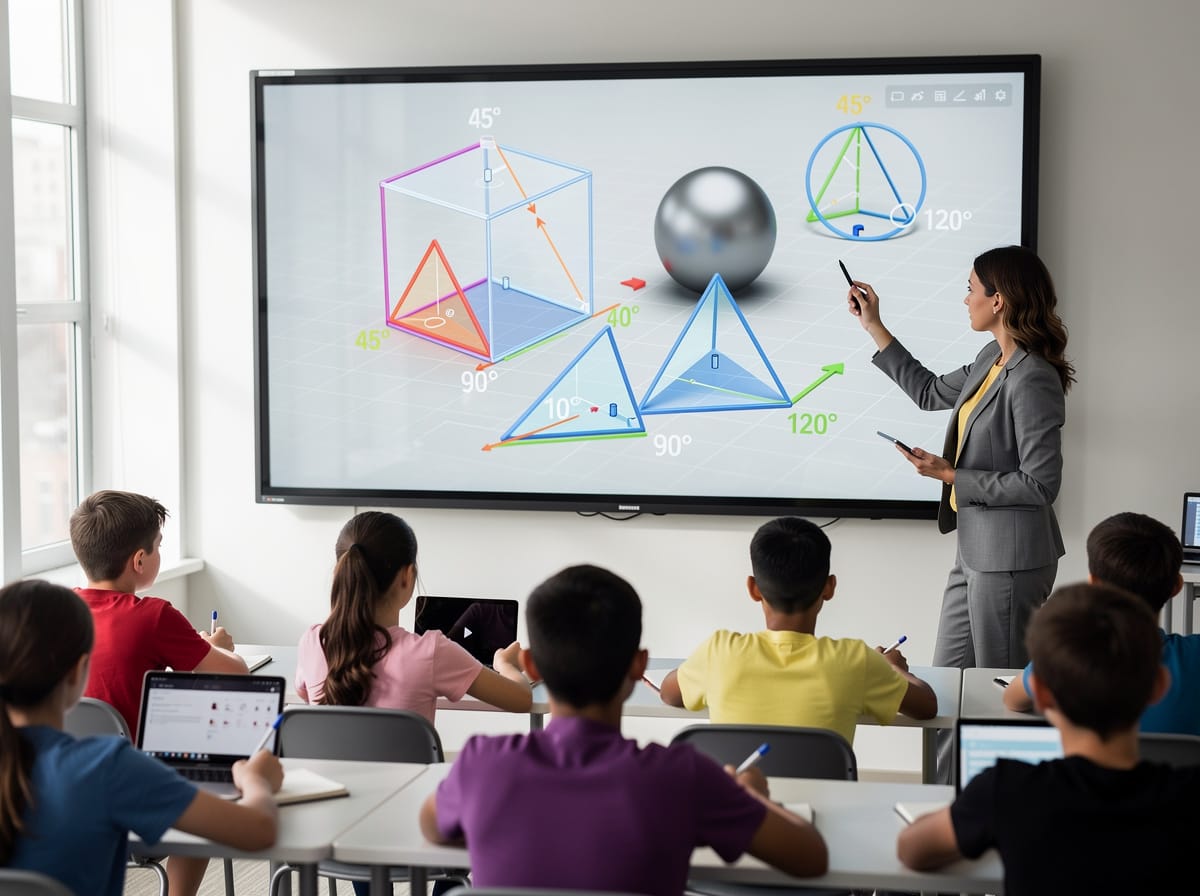
Smart Boards for teaching can help schools create these learning environments by bringing multimedia resources, interactive activities, digital writing, classroom collaboration, and online learning content together.
For international schools investing in modern classroom infrastructure, Smart Boards can provide educators with greater flexibility in how they introduce concepts, conduct activities, and engage students throughout a lesson.
Why Smart Boards Are Valuable for International Schools
Teaching in an international school can involve multiple learning formats within a single class. An educator might introduce a concept using a presentation, show a video, analyse an online resource, annotate a diagram, and then ask students to contribute their ideas.
A Smart Board makes it easier to bring these activities together within the classroom.
Instead of students only watching content, they can interact with it. Teachers can write over learning materials, highlight key information, compare ideas, conduct activities, and encourage students to contribute directly during lessons.
This creates a classroom environment where technology becomes part of the learning process rather than simply a presentation tool.
Teachmint X – Smart Board for Teaching in International Schools
Teachmint X Smart Board for Teaching is built around the requirements of educational institutions and can support international schools looking to create engaging and connected classrooms.
It combines intelligent teaching assistance with interactive classroom features that can help educators prepare lessons, explain concepts, encourage participation, and maintain continuity between classroom sessions.
EduAI Assistant
International curriculum educators frequently create their own teaching resources based on learning objectives and student requirements.
The EduAI Assistant can help teachers prepare:
- Lesson plans
- Quizzes and assessments
- Discussion questions
- Classroom activities
- Practice exercises
- Revision resources
- Topic-based learning materials
Teachers can review and adapt the generated resources according to their curriculum, subject, grade level, and classroom objectives.
Google EDLA Certified with Android 16
Teachmint X is Google EDLA Certified with Android 16.
It provides secure access to educational applications, enhanced performance, enterprise-grade security, and reliable long-term software updates.
This gives international schools a modern environment for accessing compatible Google services and digital learning applications.
Interactive Multi-Touch Experience
Collaborative learning is an important part of many international curricula.
With an interactive multi-touch experience, students and educators can write, annotate, brainstorm, solve problems, and work with classroom content directly on the Smart Board.
Multiple students can participate in activities, helping transform the front of the classroom into a collaborative learning space.
Connected Classroom Tools
Teachmint X helps connect classroom instruction with everyday academic activities.
Teachers can work with learning resources, assessments, assignments, and other classroom activities within a connected environment, helping make digital teaching easier to manage.
Cloud Whiteboard Sync
The classroom whiteboard can become an important record of discussions, diagrams, explanations, and student ideas.
Cloud Whiteboard Sync allows teachers to preserve their whiteboard work digitally, making it easier to revisit concepts in later classes and maintain continuity between lessons.
Built-in Camera and Microphone
International schools often extend learning beyond the physical classroom through guest sessions, collaborative programmes, teacher development, and online interactions.
A Built-in Camera and Microphone can support virtual guest lectures, hybrid classes, online workshops, faculty collaboration, and interactions with experts from different locations.
Smart Boards and International Teaching Approaches
Supporting Concept-Based Learning
Teachers can combine written explanations with visual examples, videos, diagrams, and digital resources to help students explore concepts from different perspectives.
Rather than simply displaying the answer, educators can use the Smart Board to develop ideas progressively with students.
Enabling Student-Led Presentations
Presentations and projects are common across international curricula.
Students can use the Smart Board to present research, explain findings, annotate supporting materials, and respond to questions from classmates.
This creates a more interactive presentation experience.
Encouraging Classroom Discussion
Teachers can display a question, case study, image, article, or scenario and capture student responses directly on the board.
Different viewpoints can then be compared and discussed as part of the lesson.
Bringing Multimedia into Everyday Lessons
Videos, animations, maps, charts, illustrations, presentations, and digital learning resources can be incorporated into lessons without separating them from the teacher's explanation.
This can make learning more visual and contextual.
Connecting Students with the Wider World
International education often places importance on global perspectives.
Smart Boards with integrated audio-video capabilities can help classrooms connect with external educators, subject experts, guest speakers, and other learning communities.
Using Smart Boards Across the International School Curriculum
Mathematics and Science
Teachers can demonstrate equations, annotate diagrams, explore graphs, present scientific concepts, and use visual learning resources alongside traditional explanations.
Languages and Literature
Educators can analyse passages, highlight vocabulary, annotate texts, conduct interactive language exercises, and incorporate audio-visual materials.
Humanities and Social Sciences
Maps, timelines, historical documents, charts, images, and current learning resources can be brought directly into classroom discussions.
Arts and Creative Learning
Students can present creative projects, review visual references, brainstorm concepts, and collaborate on ideas using the interactive workspace.
Interdisciplinary Projects
Smart Boards can bring resources from multiple subjects together, supporting projects that connect science, technology, humanities, arts, and other learning areas.
What International Schools Should Consider When Choosing a Smart Board
International schools should evaluate how well a Smart Board fits their curriculum, teaching practices, and long-term classroom requirements.
Important factors include:
- Interactive Multi-Touch performance
- AI-powered teaching capabilities
- Google EDLA certification
- Updated Android operating system
- Educational application compatibility
- Cloud Whiteboard Sync
- Classroom collaboration capabilities
- Built-in camera and microphone
- Ease of adoption for teachers
- Security and software updates
- Teacher training and onboarding
- After-sales assistance
- Scalability across classrooms and campuses
A Smart Board should ultimately make classroom teaching easier while giving educators more ways to engage students.
Why Teachmint X for International School Classrooms
Teachmint X brings together classroom interaction and intelligent teaching tools within an education-focused environment.
The EduAI Assistant can support educators with classroom preparation, while Google EDLA Certified with Android 16 provides a secure and updated environment for digital learning. Connected Classroom Tools, Interactive Multi-Touch Experience, Cloud Whiteboard Sync, and the Built-in Camera and Microphone further support collaborative and flexible teaching.
These capabilities make Teachmint X Smart Board for Teaching suitable for international schools looking to build engaging, connected, and future-ready classrooms.
Conclusion
International schools need classrooms that can adapt to different teaching methods, subjects, projects, and learning experiences.
Smart Boards can support this flexibility by enabling educators to combine digital resources, visual explanations, interactive activities, student collaboration, and online learning within everyday lessons.
For international schools in India, Teachmint X Smart Board for Teaching brings together EduAI Assistant, Google EDLA Certified with Android 16, Connected Classroom Tools, Interactive Multi-Touch Experience, Cloud Whiteboard Sync, and a Built-in Camera and Microphone to support modern teaching and global learning experiences.